


Discover cybersecurity for manufacturing and how to address manufacturing cybersecurity threats. Learn practical steps to protect your operations and data.
View More
Understanding what network monitoring is is essential for any business that relies on technology. In this blog, you’ll learn how network monitoring helps keep your network devices running smoothly, how a monitoring system works, and what to look for in a monitoring tool. We’ll also cover the basics of network performance, protocols, and how network monitoring systems can prevent outages and boost uptime. By the end, you’ll know how to spot performance issues and choose the right approach for your organization.
Network monitoring is the process of continuously checking your IT systems to make sure everything is working as expected. It involves tracking network traffic, network components, and the data flow between devices like servers, switches, and routers. By monitoring these elements, you can spot problems early, respond to alerts quickly, and keep your business running without interruption.
A good network monitoring system gives you visibility into your network infrastructure. This means you can see real-time performance metrics, identify the root cause of slowdowns, and prevent outages before they happen. For businesses, this means less downtime and more reliable service for employees and customers.

Even with the best intentions, businesses can make mistakes when setting up network monitoring. Here are some key areas to watch out for:
If your monitoring tool doesn’t support the right protocol, like SNMP or ICMP, you might miss important data. Always check that your tools match your network devices and the protocols they use.
Not all network monitoring protocols are created equal. Some are better for real-time alerts, while others focus on collecting logs. Make sure you choose protocols that fit your network’s needs.
A tool that works for a small office might not handle the demands of a larger network. Pick a network monitoring tool designed for your business size and complexity.
If alerts are too sensitive, you’ll get overwhelmed with notifications. If they’re not sensitive enough, you might miss a real problem. Fine-tune your alert settings for the best results.
Leaving out switches, routers, or servers can create blind spots. Make sure every important device is included in your monitoring system.
Logs hold valuable clues about network health. Don’t just collect them—review them regularly to catch issues early.
Slow network performance often comes down to bandwidth or latency problems. Monitor these metrics closely to keep your network running smoothly.
A reliable monitoring system offers several advantages:

Outages can be costly and disruptive. With network monitoring, you can spot warning signs like packet loss or unusual spikes in network traffic before they turn into bigger problems. Monitoring software tracks the health of your network infrastructure, including switches, routers, and servers, so you know when something needs attention.
By using a dashboard that displays real-time data, you can see trends and patterns that might signal trouble ahead. This proactive approach means you can fix issues before they affect your business. Plus, regular monitoring helps you maintain compliance with industry standards and avoid unnecessary downtime.
There are several ways to monitor your network. Here’s a breakdown of the main types and what makes each one unique:
This method focuses on individual network devices like routers, switches, and servers. It checks their status, uptime, and performance metrics to ensure everything is running smoothly.
Protocol-based monitoring looks at how data moves through your network using specific protocols, such as SNMP or ICMP. This helps you understand the flow of information and spot issues with communication between devices.
Flow-based monitoring tracks the movement of data packets across your network. It’s useful for identifying bandwidth hogs and unusual traffic patterns that could signal a problem.
This approach collects and analyzes logs from various network components. Reviewing these logs can help you detect security threats or performance issues that might otherwise go unnoticed.
Real-time monitoring provides instant feedback on network performance. It’s essential for catching problems as they happen, allowing for a quick response.
Security monitoring focuses on protecting your network from threats. It looks for signs of unauthorized access, malware, or other risks to your data and systems.
This type tracks how well your business applications are performing over the network. It helps ensure that critical software runs smoothly for all users.
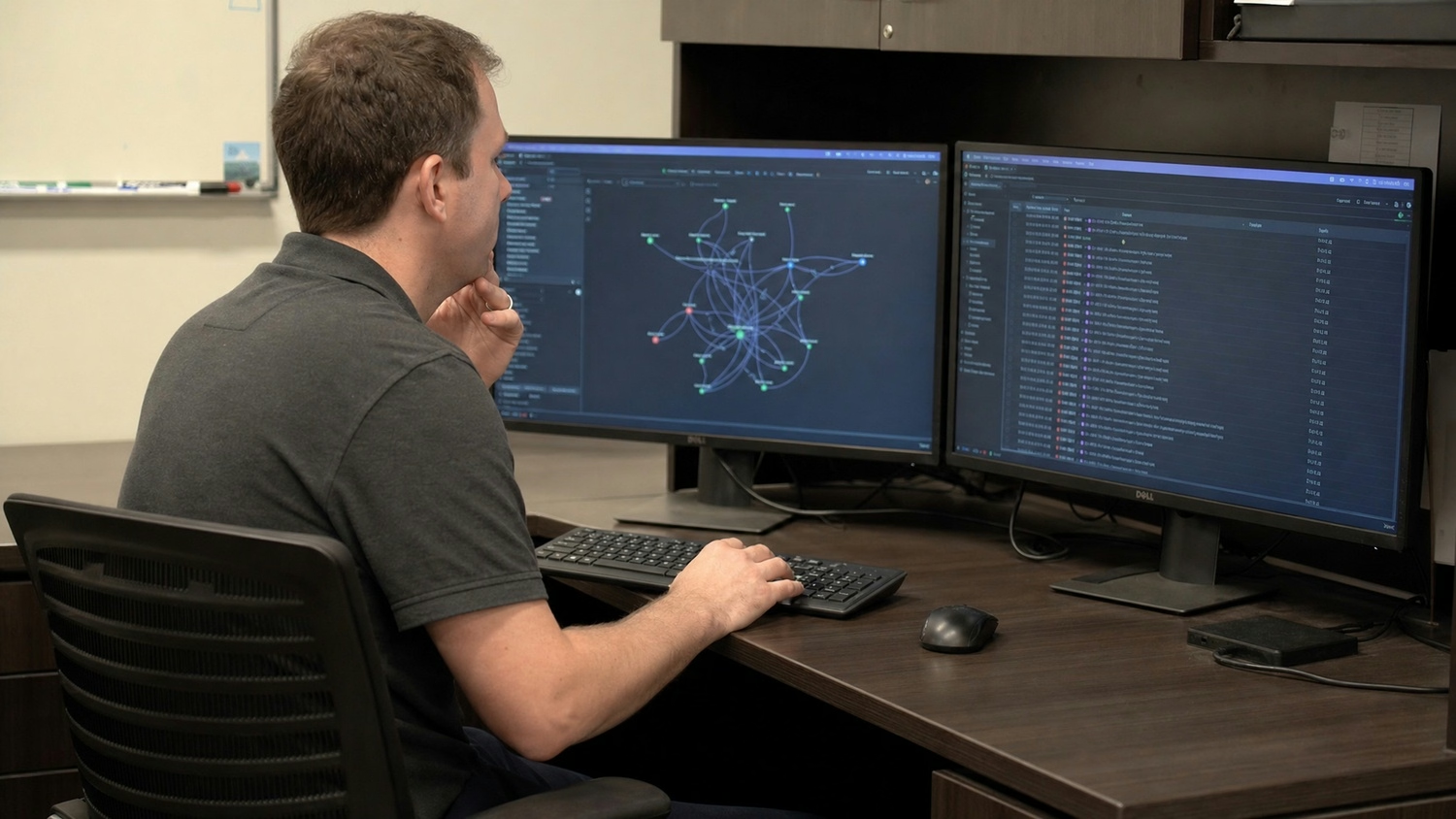
Getting started with network monitoring doesn’t have to be complicated. First, identify the key network components you need to monitor, such as routers, switches, and servers. Next, choose monitoring software that fits your business size and technical needs. Make sure it supports the protocols used by your devices and offers a user-friendly dashboard for easy management.
Set up alerts for important events like outages or unusual traffic. Regularly review performance metrics and logs to spot trends or recurring issues. Training your network administrators on how to use the monitoring system is also important for long-term success.
To get the most out of your monitoring efforts, keep these tips in mind:
Following these practices will help you maintain a reliable and secure network.

Are you a business with 25-75 employees looking to improve your network reliability and performance? Growing businesses need a monitoring system that scales with their needs and keeps downtime to a minimum.
We understand how important it is to prevent outages, spot performance issues early, and keep your network running smoothly. Our team at Capstone Works, Inc. offers tailored solutions for what is network monitoring, helping you choose the right tools, set up effective alerts, and train your staff for long-term success. Contact us today to get started.
When choosing a network monitor, focus on features like real-time visibility, customizable alerts, and easy integration with your existing network devices. Look for a monitoring system that supports key protocols and offers a user-friendly dashboard for network administrators.
A good network monitor should help you track network performance, detect outages, and analyze data flow efficiently. Make sure it can handle the size and complexity of your network infrastructure.
Network monitoring protocols like SNMP and ICMP are essential for collecting data from network components. The right protocol ensures accurate, real-time information about your network’s health and performance metrics.
Using the correct protocol can reduce latency and packet loss by allowing your monitoring tool to communicate effectively with switches, routers, and servers. This helps you spot performance issues quickly and maintain uptime.
A monitoring tool designed for security monitoring can detect unauthorized access, malware, and other threats in real time. It helps you respond quickly to alerts and protect sensitive data.
By monitoring network traffic and reviewing logs, you can identify unusual patterns that might signal a security risk. This proactive approach keeps your network safe and compliant with industry standards.
Network monitoring software tracks the health of your network infrastructure and provides early warnings about potential problems. It monitors bandwidth, latency, and other performance metrics to help you avoid outages.
With regular log reviews and real-time alerts, you can address issues before they disrupt your business. This keeps your network running smoothly and reduces downtime.
Network security monitoring focuses on detecting and responding to security threats, while regular monitoring tracks overall network performance. Security monitoring uses specialized tools and protocols to spot unauthorized access or suspicious activity.
It often includes features like intrusion detection, automated alerts, and detailed log analysis. This ensures your network is protected from both internal and external risks.
Effective network monitoring gives you complete visibility into your network’s health and performance. It helps you identify root causes of issues, optimize data flow, and maintain high uptime.
By tracking performance metrics and setting up proactive alerts, you can address problems before they impact your business. This leads to better productivity and customer satisfaction.


Discover cybersecurity for manufacturing and how to address manufacturing cybersecurity threats. Learn practical steps to protect your operations and data.
View More
Learn about remote monitoring and management, RMM meaning, and how the right solution boosts security, reduces downtime, and streamlines IT for your business.
View More


.svg)


